The group stage feels like a distant memory now. After weeks of goals, shocks, and late-night alarms set for matches kicking off in North America, the FIFA World Cup 2026 has reached its business end. The quarter-finals are here, running from the 9th through to the 12th of July, and for football fans across the UK, this is the point in the tournament where every match suddenly matters a great deal more than the last.
Whether you’re planning your viewing around a full weekend of football or trying to figure out how you’ll stay awake for a match kicking off in the small hours, this guide walks through everything you need to know about watching the World Cup 2026 quarter-finals from home in the UK — what’s free, what’s not, and how to make sure your stream doesn’t let you down at the worst possible moment.

When Are the Quarter-Finals Taking Place?
Match Dates and Host Cities
The last eight teams standing will play across four days, from Thursday the 9th of July through to Sunday the 12th. Because the tournament is being staged across the United States, Mexico, and Canada, kick-off times in the UK vary quite a bit depending on which host city is hosting each tie.
UK Kick-Off Times to Plan Around
Some matches kick off as early as 8pm BST, while others don’t get underway until the early hours of the following morning, closer to 2am BST. This spread of kick-off times is worth planning around in advance. If you’ve got work in the morning, it may be worth deciding now which matches you’ll watch live and which you’ll catch on a replay or highlights package the next day.
Which Channels Are Showing the Quarter-Finals?
BBC and ITV’s Free-to-Air Split
Every single match at this World Cup is being shown free-to-air in the UK, split between the BBC and ITV. The two broadcasters have divided the knockout rounds between them, and that arrangement continues through the quarter-finals. Coverage is available both on traditional television — BBC One and ITV1 — and through each broadcaster’s streaming platform, BBC iPlayer and ITVX.
What This Means for Home Nations Fans
Home nations fans should take note of the pattern that’s developed through the tournament so far: earlier rounds involving England were shown across both channels, with a general understanding that the BBC tends to carry the later, higher-profile knockout fixtures while ITV has picked up quarter-final coverage in recent tournaments. Since the exact channel for each specific quarter-final tie can shift depending on fixtures and kick-off slots, it’s worth double-checking listings on the day, particularly if you’re watching a match involving one of the home nations.
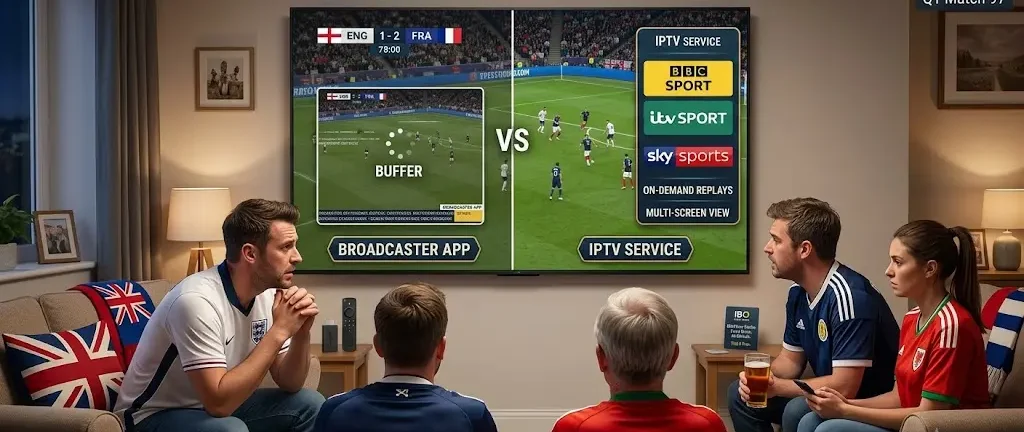
Watching for Free vs Watching Without the Faff
The Common Frustrations With Free Streaming
Because every match is free-to-air, in theory all you need is a TV, an aerial, or a smart TV app for iPlayer or ITVX, and a valid TV licence. In practice, plenty of fans run into the same handful of frustrations once the whistle blows:
- Buffering during the biggest moments — Free streaming apps get hammered with traffic during major matches, and quality can drop right when a game reaches its most tense stretch.
- Juggling multiple devices — Watching on a phone in one room and a smart TV in another isn’t always seamless with broadcaster apps, especially across a household with several fans wanting to watch different things.
- No easy way to catch replays across devices — If you miss the live broadcast, digging through on-demand libraries for a specific match isn’t always straightforward.
Why an IPTV Setup Handles Big Matches Better
This is where a dedicated IPTV service earns its keep during a tournament like this one. Rather than relying on a single broadcaster’s app and hoping it holds up under pressure, an IPTV subscription gives you access to sports channels, replays, and on-demand libraries through one interface, set up once across all your household’s devices — Firestick, Smart TV, phone, tablet, or Android box.
Where IBO Player Media Comes In
This is exactly the gap IBO Player Media is built to fill. With over 30,000 channels and a library of on-demand movies and shows, it gives you every major sports channel alongside your regular entertainment in one app, so there’s no juggling between broadcaster logins on different devices. Plans run with no long-term contract, starting from as little as £6.99, and every subscription works straight away across Firestick, Smart TV, Android box, phone, and tablet, so the whole household can watch on whichever screen they like. If you want to see how it holds up before committing to anything, IBO Player Media offers a free trial with no card details required, which is the easiest way to test it out ahead of the quarter-finals rather than finding out on the night whether your stream can handle it.
Tips for a Smooth Viewing Experience
Before Kick-Off
- Use a wired connection where you can. Ethernet is far less likely to drop out mid-match than Wi-Fi, particularly in a house with several devices competing for bandwidth during kick-off.
- Restart your router and streaming device before kick-off, not after the picture starts stuttering. A fresh connection handles a sudden spike in traffic far better than one that’s been running for days.
During the Match
- Close anything else eating bandwidth. Downloads, backups, and other devices streaming video in the background all compete for the same connection.
- Have a backup plan. Knowing a second app or device you can switch to if one stream drops means a dodgy connection doesn’t cost you the winning goal.
Watching From Outside the UK
Why Location Matters for Streaming Apps
If you’ll be away from home during the quarter-finals — travelling for work, on holiday, or living abroad — accessing UK coverage isn’t always straightforward, since broadcaster apps typically check your location before letting you stream.
Options for Fans Abroad
Fans in this position often turn to a VPN to reconnect to a UK server, or rely on an IPTV subscription that isn’t tied to a single country’s broadcasting rights in the same way. Either route means a bit of planning ahead of kick-off rather than discovering the problem five minutes before the match starts.
Making the Most of the Rest of the Tournament
Looking Ahead to the Semi-Finals and Final
With the semi-finals following on the 14th and 15th of July and the final set for the 19th at MetLife Stadium in New Jersey, this World Cup still has its biggest nights ahead of it. Whatever setup gets you through the quarter-finals without a hitch is worth keeping in place through to the final whistle of the tournament — there’s little point sorting out a smooth streaming setup only to run into the same buffering issues a week later during the final itself.
If you’d rather sort your streaming setup once and not think about it again for the rest of the tournament, IBO Player Media covers every remaining match through to the final on one subscription, across every device in the house. Try it free before the semi-finals and you’ll already be sorted by the time the final rolls around.
Frequently Asked Questions
Are all the World Cup 2026 quarter-finals free to watch in the UK? Yes. Every match at this tournament, including all four quarter-finals, is being shown free-to-air across the BBC and ITV, either on TV or through their iPlayer and ITVX apps. You won’t need a paid sports subscription to watch the matches live.
What time do the quarter-finals kick off? Kick-off times vary by match because games are being played across different time zones in the US, Mexico, and Canada. Expect a mix of evening kick-offs around 8pm BST and later matches that start closer to 2am BST, so it’s worth checking the schedule for each specific tie in advance.
Why does my stream keep buffering during big matches? Free streaming apps see a huge spike in traffic during major games, which can cause buffering even with a decent home broadband connection. Using a wired connection, restarting your router beforehand, and reducing other devices’ bandwidth use can all help, and a dedicated IPTV service tends to hold up more reliably under that kind of demand.
Can I watch the World Cup quarter-finals if I’m travelling abroad? It’s possible, though broadcaster apps generally restrict access based on location. Many fans use a VPN connected to a UK server, or an IPTV subscription, to keep watching matches while away from home.
Do I need a TV licence to watch the quarter-finals on iPlayer or ITVX? You need a valid TV licence to watch or stream live television in the UK, including matches on BBC iPlayer and ITVX, regardless of which device you’re using.