
In recent years, IPTV (Internet Protocol Television) has transformed the way people watch television. Unlike traditional cable or satellite TV, IPTV delivers video and audio content over the internet, allowing viewers to access live TV channels, on-demand shows, and radio stations on a wide range of devices. At the heart of this system is a simple but powerful tool called the M3U playlist. Understanding what M3U playlists are and how they function is essential for anyone exploring IPTV.
Thank you for reading this post, don't forget to subscribe!What is an M3U Playlist?
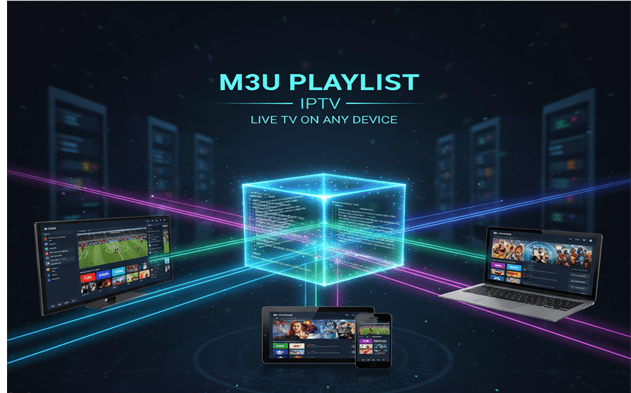
An M3U playlist is essentially a list that guides your IPTV software to the content you want to watch. It does not store the actual videos or live streams. Instead, it contains links to the channels or videos hosted on an IPTV server. Originally designed for audio files, the format has evolved to accommodate video and streaming content, becoming the standard in IPTV services.
In simple terms, an M3U playlist acts as a map. It tells your IPTV player which channels are available, where they are located, and how to access them. This allows users to browse a wide variety of content, select a channel, and start streaming instantly.
How M3U Playlists Work in IPTV
When you use an IPTV service, you either download an M3U playlist file or enter a playlist URL into your IPTV app. The playlist contains all the necessary information for your media player to locate the streams. Your player then organizes the channels, often displaying them with names, logos, and categories, giving users a structured and easy-to-navigate interface.
Because the playlist contains only the links to streams and metadata, it is lightweight and can be easily updated by the IPTV provider. This means that if a channel is added, removed, or changed, the playlist can be updated dynamically without requiring you to download new software.
Key Features of M3U Playlists
M3U playlists are popular in IPTV because they offer several key advantages:
- Flexibility: They can include live TV, video-on-demand content, and even radio channels in a single file.
- Customizability: Channels can be added, removed, or reorganized to suit user preferences.
- Compatibility: Almost all IPTV media players support M3U playlists, making them universally usable.
- Lightweight: As a text-based file, the playlist requires minimal storage and bandwidth.
- Metadata Support: Information such as channel names, categories, and logos can enhance the viewing experience.
Types of M3U Playlists
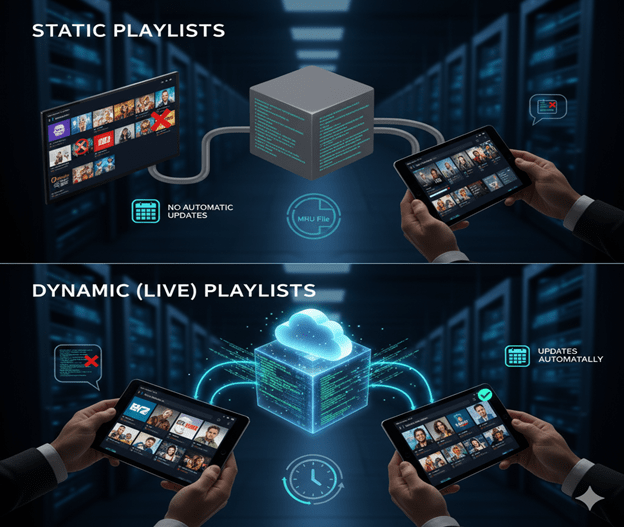
There are two main types of M3U playlists in IPTV:
- Static Playlists
- These playlists have a fixed list of channels and content. They do not update automatically, so if a channel is removed or a new one is added, the user needs to download an updated playlist.
- Dynamic or Live Playlists
- Hosted on a server, these playlists update automatically when the IPTV provider makes changes. This type is commonly used by subscription services to ensure viewers always have access to the latest channels and content.
Advantages of Using M3U Playlists
Using M3U playlists for IPTV provides several benefits:
- Easy Access: Users can load hundreds of channels with a single playlist, eliminating the need for complex setup.
- Cross-Device Support: Playlists can be used on smart TVs, smartphones, tablets, and computers.
- Organized Viewing: Channels can be categorized by genre, language, or country for easier navigation.
- Cost-Effectiveness: IPTV services using M3U playlists are often more affordable than traditional cable subscriptions.
- Global Reach: Users can access channels from around the world, broadening their viewing options.
Common Media Players for M3U Playlists
Several media players and applications are compatible with M3U playlists, making IPTV accessible to a wide audience. Popular options include:
- VLC Media Player: A versatile platform for streaming live channels and on-demand content.
- Kodi: An open-source application with features to manage large playlists and integrate additional media content.
- Perfect Player IPTV: Designed specifically for IPTV, with features for playlist organization and channel grouping.
- GSE Smart IPTV: A mobile-friendly option for iOS and Android users that supports both static and dynamic playlists.
- IPTV Smarters: User-friendly interface for both beginners and advanced viewers, supporting updated playlists and channel guides.
Challenges and Considerations
While M3U playlists offer convenience, there are some challenges:
- Inactive Links: IPTV stream URLs can become unavailable over time, requiring playlist updates.
- Regional Restrictions: Some channels may be geo-restricted, necessitating a VPN for access.
- Legality: Not all M3U playlists are authorized, so using playlists from legitimate providers is important.
- Large Playlists: Playlists with hundreds of channels can be difficult to navigate without proper categorization.
Best Practices for Using M3U Playlists
- Use playlists from trusted IPTV providers to ensure stability and legality.
- Choose media players that support electronic program guides (EPG) for better channel navigation.
- Regularly update playlists to access the latest channels and remove inactive streams.
- Organize channels by genre, region, or favorites to enhance user experience.
- Consider a VPN for access to international content restricted in your region.
The Future of M3U Playlists
M3U playlists remain an integral part of IPTV due to their simplicity and efficiency. As streaming technology evolves, these playlists are expected to incorporate more advanced features such as:
- Improved metadata for better content organization.
- Enhanced compatibility with smart TVs and streaming devices.
- Integration with interactive features and live program guides.
For IPTV users, understanding M3U playlists and how to use them effectively is key to accessing a diverse range of content while enjoying a flexible and customizable viewing experience.
Conclusion
M3U playlists are the foundation of modern IPTV, enabling users to access live TV, video-on-demand, and radio content efficiently. Their flexibility, compatibility, and ease of use make them a powerful tool for both casual viewers and dedicated IPTV enthusiasts. By using M3U playlists from legitimate sources and supported media players, users can unlock the full potential of IPTV and enjoy a seamless, global television experience.
Whether you are watching local channels, international programming, or streaming movies and shows, understanding M3U playlists enhances your ability to explore the diverse world of IPTV content.