
Streaming in 4K has transformed home entertainment. The ultra-sharp detail, richer colors, and immersive clarity make everything—from live sports to blockbuster movies—feel cinematic. But here’s the truth many viewers discover too late: 4K quality depends heavily on your internet speed.
Thank you for reading this post, don't forget to subscribe!If your connection isn’t strong enough, you’ll experience buffering, pixelation, and frustrating interruptions. So how many Mbps do you really need for smooth 4K IPTV streaming? Let’s break it down clearly and practically, so you can enjoy flawless performance with reliable services like StarPrimeMedia and Hulu.
The Recommended Mbps for 4K Streaming
For stable 4K streaming, you generally need:
Minimum: 25 Mbps per device
Recommended: 35–50 Mbps per device
Ideal for households: 100+ Mbps total home speed
While some platforms advertise 15–20 Mbps as sufficient, that figure assumes perfect network conditions. In real homes—with Wi-Fi interference, multiple users, and background downloads—you need a buffer above the minimum.
If you want uninterrupted 4K IPTV streaming on services like StarPrimeMedia or Hulu, aiming for at least 35 Mbps per active 4K stream ensures smoother performance.

Why 4K Requires So Much Bandwidth
4K resolution (3840 x 2160 pixels) contains four times the detail of Full HD (1080p). That means significantly more data must travel from the streaming server to your device every second.
Here’s a rough comparison:
SD streaming: 3–5 Mbps
HD (1080p): 8–12 Mbps
4K (Ultra HD): 25–50 Mbps
Higher bitrate equals better picture clarity—but also higher bandwidth consumption.
Additionally, modern 4K content often uses HDR (High Dynamic Range), enhanced color depth, and improved audio formats, all of which increase data requirements.
One Stream vs. Multiple Devices
Many households underestimate how internet usage stacks up.
If you are:
Streaming 4K in the living room (35 Mbps)
Someone else is watching HD in another room (10 Mbps)
A family member is gaming online (10–20 Mbps)
Phones are syncing or updating apps (5–10 Mbps)
Your total bandwidth usage can quickly exceed 70–90 Mbps.
For families or shared homes, 100–200 Mbps broadband is a smart investment for seamless streaming across devices.
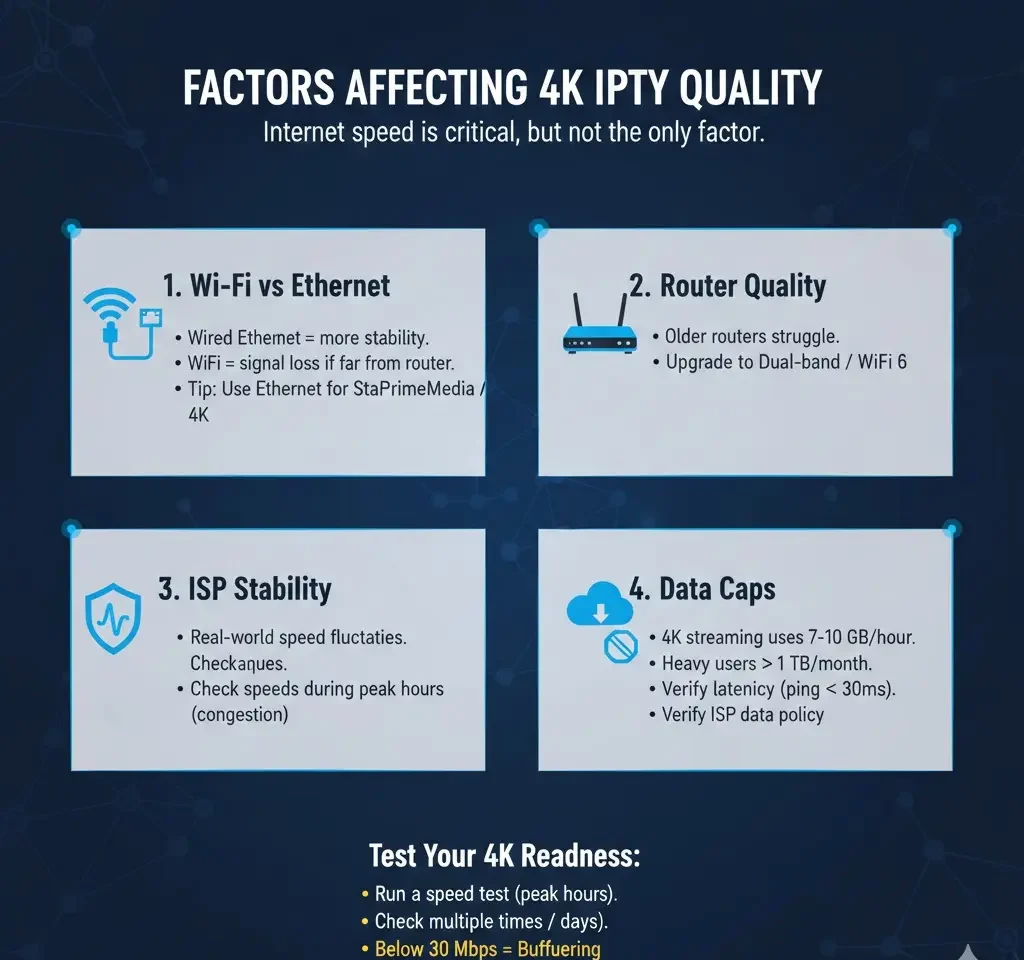
Factors That Affect 4K IPTV Streaming Quality
Internet speed is critical, but it’s not the only factor.
1. Wi-Fi vs. Ethernet
A wired Ethernet connection provides more stability than Wi-Fi. If your TV or streaming device is far from the router, signal loss can reduce effective speed.
Tip: For the best 4K IPTV experience with StarPrimeMedia or Hulu, use Ethernet whenever possible.
2. Router Quality
Older routers may struggle to handle multiple high-bandwidth streams. Upgrading to a dual-band or Wi-Fi 6 router can dramatically improve performance.
3. ISP Stability
Even if your plan says 100 Mbps, your real-world speed might fluctuate. Check speeds during peak evening hours when network congestion is common.
4. Data Caps
Some internet providers limit monthly data usage. 4K streaming consumes significant data—approximately 7–10 GB per hour. Heavy viewers can easily exceed 1 TB per month.
Always verify your ISP’s data policy if you stream regularly.
How to Test If Your Internet Is Ready for 4K
Before subscribing to a premium IPTV plan, test your connection:
Run a speed test during peak hours.
Test multiple times over several days.
Check latency (ping should ideally be under 30ms).
Verify upload speed (important for overall stability).
If your speed drops below 30 Mbps during busy hours, you may experience buffering.
Why Choosing a Reliable Streaming Service Matters
Even with high internet speeds, poor content delivery networks can cause issues. That’s why selecting a reputable provider is essential.
StarPrimeMedia – Performance Focused
StarPrimeMedia is designed for viewers who want stable, high-quality streaming with optimized servers. Its infrastructure prioritizes:
High bitrate delivery
Minimal buffering
Smooth playback consistency
Efficient compression without sacrificing clarity
For households investing in fast broadband, StarPrimeMedia ensures you actually benefit from your speed.
Hulu – Trusted Streaming Experience
Hulu is widely recognized for its consistent streaming quality and strong content delivery systems. With proper bandwidth (25+ Mbps), Hulu’s 4K content streams smoothly with excellent visual performance.
Pairing a strong internet plan with a trusted platform eliminates most technical frustrations.
Common 4K Streaming Problems (And Fixes)
Buffering
Cause: Insufficient speed or Wi-Fi interference
Fix: Upgrade plan or switch to wired connection
Pixelation
Cause: Bitrate dropping due to network instability
Fix: Restart router, reduce simultaneous usage
Stream Downgrading to HD
Cause: Speed dips below required threshold
Fix: Ensure consistent minimum of 25–35 Mbps
Audio-Video Sync Issues
Cause: Router overload or outdated firmware
Fix: Update router firmware or upgrade hardware
Is 50 Mbps Enough for 4K IPTV?
Yes—for a single 4K stream in a small household.
However:
For two simultaneous 4K streams → Aim for 75–100 Mbps
For heavy multi-device households → 150–300 Mbps
Investing in slightly higher speeds ensures future-proof performance as streaming quality standards continue to improve.
How Much Data Does 4K Streaming Use?
On average:
1 hour of 4K streaming = 7–10 GB
3 hours per day = 630–900 GB per month
Heavy viewing households = 1 TB+ monthly usage
If you stream daily, unlimited data plans are strongly recommended.
Final Recommendation: The Smart 4K Setup
For a truly smooth 4K IPTV experience:
Minimum 35 Mbps per 4K stream
100+ Mbps for households
Ethernet connection preferred
Modern router (Wi-Fi 6 recommended)
Unlimited data plan
Combine a reliable internet connection with trusted services like StarPrimeMedia and Hulu, and you eliminate nearly all streaming frustrations.
Conclusion
4K IPTV streaming delivers breathtaking clarity—but only when your internet connection can handle the demand. While 25 Mbps is the technical minimum, real-world performance requires a safety margin.
If you want uninterrupted sports, movies, and live programming in ultra-high definition, invest in at least 35–50 Mbps per stream and choose stable, reputable platforms like StarPrimeMedia and Hulu.
In the world of 4K streaming, speed isn’t just a number—it’s the difference between cinematic immersion and constant buffering.
Choose wisely. Stream smoothly. Enjoy every pixel.