
As Smart TVs and IPTV streaming continue to grow in popularity, more users are choosing premium media players that deliver a cleaner and more reliable viewing experience. One of the most popular choices in 2026 is IBO Player, a modern IPTV player designed for Smart TVs, Android devices, and streaming sticks.
Thank you for reading this post, don't forget to subscribe!Its simple interface, fast channel switching, and smooth Smart TV performance make it a preferred option for users who want a cable-like entertainment experience without the limitations of traditional TV services.
If you’ve recently installed IBO Player and want to know how activation works, this step-by-step guide will help you complete the process quickly and correctly. From installation to playlist setup, this article covers everything you need to know in a clear and beginner-friendly way.
What Is IBO Player?
Before starting the activation process, it helps to understand what IBO Player actually does.
IBO Player is a premium IPTV media player. It does not provide live channels, movies, or TV shows by itself. Instead, it acts as a player that connects to your IPTV subscription using playlist links or Xtream login details.
Once connected, it organizes the content into a clean Smart TV layout with categories for live TV, movies, sports, and TV series.
This is why activation is important. It unlocks the player’s full features and allows you to use your IPTV service smoothly over the long term.
Devices That Support IBO Player
One reason IBO Player is widely used is its strong compatibility with popular devices.
It works well on:
- Samsung Smart TVs
- LG Smart TVs
- Android TV and Google TV
- Amazon Firestick and Fire TV
- Android phones and tablets
- Android boxes
This flexibility makes it ideal for both home entertainment and portable streaming.
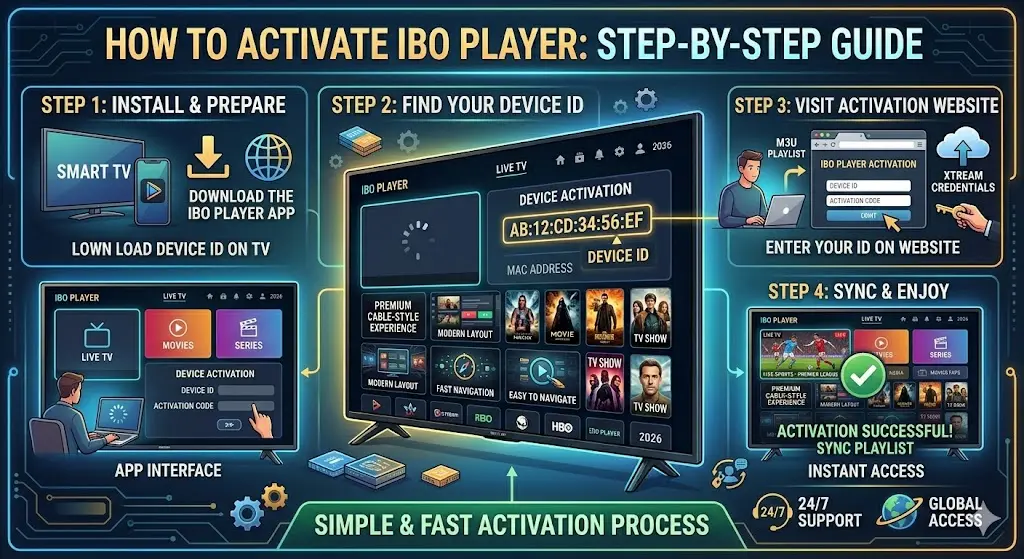
Step 1: Install the IBO Player App
The first step is downloading the application on your preferred device.
For Smart TVs, open your TV’s app store and search for IBO Player.
For Android TV, Google TV, or mobile devices, install it from the Play Store.
If you are using a Firestick, you can install it using the downloader method or any available app source that supports the device.
Once installed, open the app.
Step 2: Find Your MAC Address and Device Key
When the app opens for the first time, it will display two important details on the screen:
- MAC Address
- Device Key
These details are unique to your device and are required for activation.
The easiest way to avoid mistakes is to keep the TV screen open or take a clear photo using your phone.
These credentials will be used to connect your device to the IBO Player activation portal.
Step 3: Open the IBO Player Activation Website
Using your phone, tablet, or laptop, open the official IBO Player activation website.
On the website, you will see fields where you must enter:
- MAC Address
- Device Key
Type both exactly as shown on your TV screen.
This step connects your physical device to your activation account and allows playlist management from the web portal.
Step 4: Upload Your IPTV Playlist
After successfully logging into the portal, the next step is adding your IPTV subscription details.
There are usually two common methods.
M3U Playlist URL
Paste the playlist URL provided by your IPTV service provider.
Xtream Codes Login
Enter:
- Username
- Password
- Server URL
Both methods work well, and the choice depends on what your IPTV provider gives you.
After entering the details, save the playlist.
The portal will sync this information with your IBO Player app.
Step 5: Restart the App on Your Device
Go back to your TV or streaming device and close the IBO Player app completely.
Reopen it after a few seconds.
Once the app refreshes, your content should load automatically. You’ll typically see sections such as:
- Live TV
- Sports
- Movies
- Series
- Favorites
If your provider includes EPG support, the TV guide should also appear.
Step 6: Complete Premium Activation
Most users start with a short free trial period. After the trial ends, a one-time activation fee is usually required.
This premium activation unlocks:
- Unlimited playlist access
- Full Smart TV features
- Long-term app use
- Faster syncing
- Better interface customization
The activation fee is usually a single payment rather than a monthly subscription, which is one of the reasons many users prefer IBO Player.
Once activated, the app is ready for permanent use on your device.
Common Activation Problems and Easy Fixes
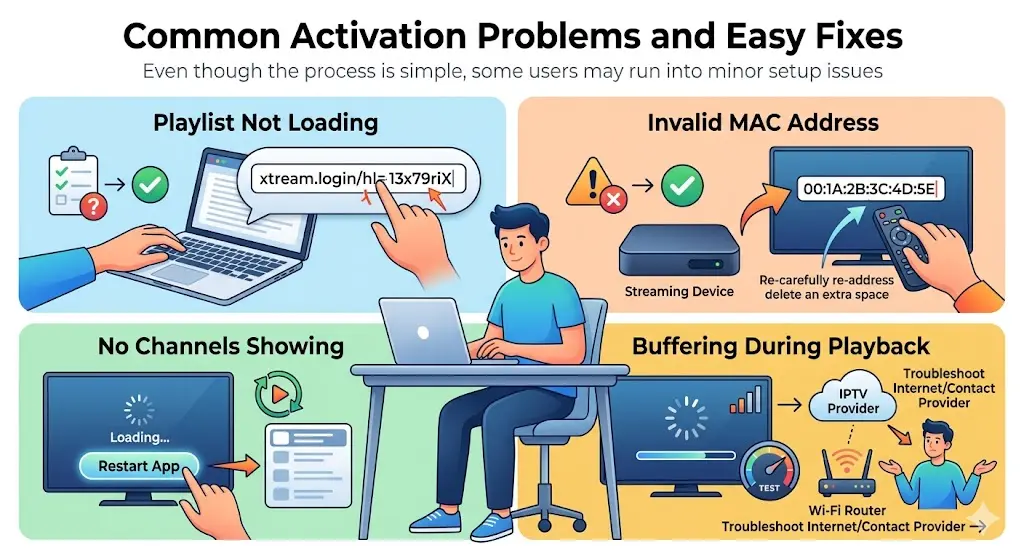
Even though the process is simple, some users may run into minor setup issues.
Playlist Not Loading
Double-check the playlist URL or Xtream login credentials. A single wrong character can prevent loading.
Invalid MAC Address
Re-enter the MAC address carefully and ensure there are no extra spaces.
No Channels Showing
Restart the app after uploading the playlist.
Buffering During Playback
This is usually caused by the IPTV provider or slow internet, not the player itself.
Tips for Better Streaming Performance
To get the best results after activation, follow these simple tips:
- Use a stable high-speed internet connection
- Prefer Wi-Fi 5GHz or wired Ethernet
- Choose a reliable IPTV provider
- Refresh your playlist regularly
- Keep the app updated
- Restart the device occasionally
A good player combined with a strong IPTV service creates the best streaming experience.
Why Users Prefer IBO Player in 2026
IBO Player remains one of the most preferred IPTV players because it focuses on Smart TV performance and user-friendly navigation.
Its biggest strengths include:
- Modern interface
- Fast channel switching
- Smart TV optimization
- Playlist cloud management
- Movie poster support
- EPG compatibility
- One-time activation
- Stable performance
For users who want a premium cable-style feel without additional hardware, it remains a top choice.
Final Thoughts
Learning how to activate IBO Player is simple once you follow the right steps.
From installing the app to adding your playlist and completing premium activation, the entire process only takes a few minutes. After setup, the app transforms your Smart TV into a powerful entertainment system that is ideal for live TV, sports, movies, and on-demand content.
For 2026, it remains one of the best IPTV player choices for users who value simplicity, speed, and premium Smart TV performance.